
WorldCraft Minecraft server: how to join and see your house
Join WorldCraft at worldcraft.gg on Minecraft Java 26.2, then type /go and your address to see your house in blocks. What works, limits and why it's full.
Checked and updated 22 November 2026 at 19:30 UTC
Key points
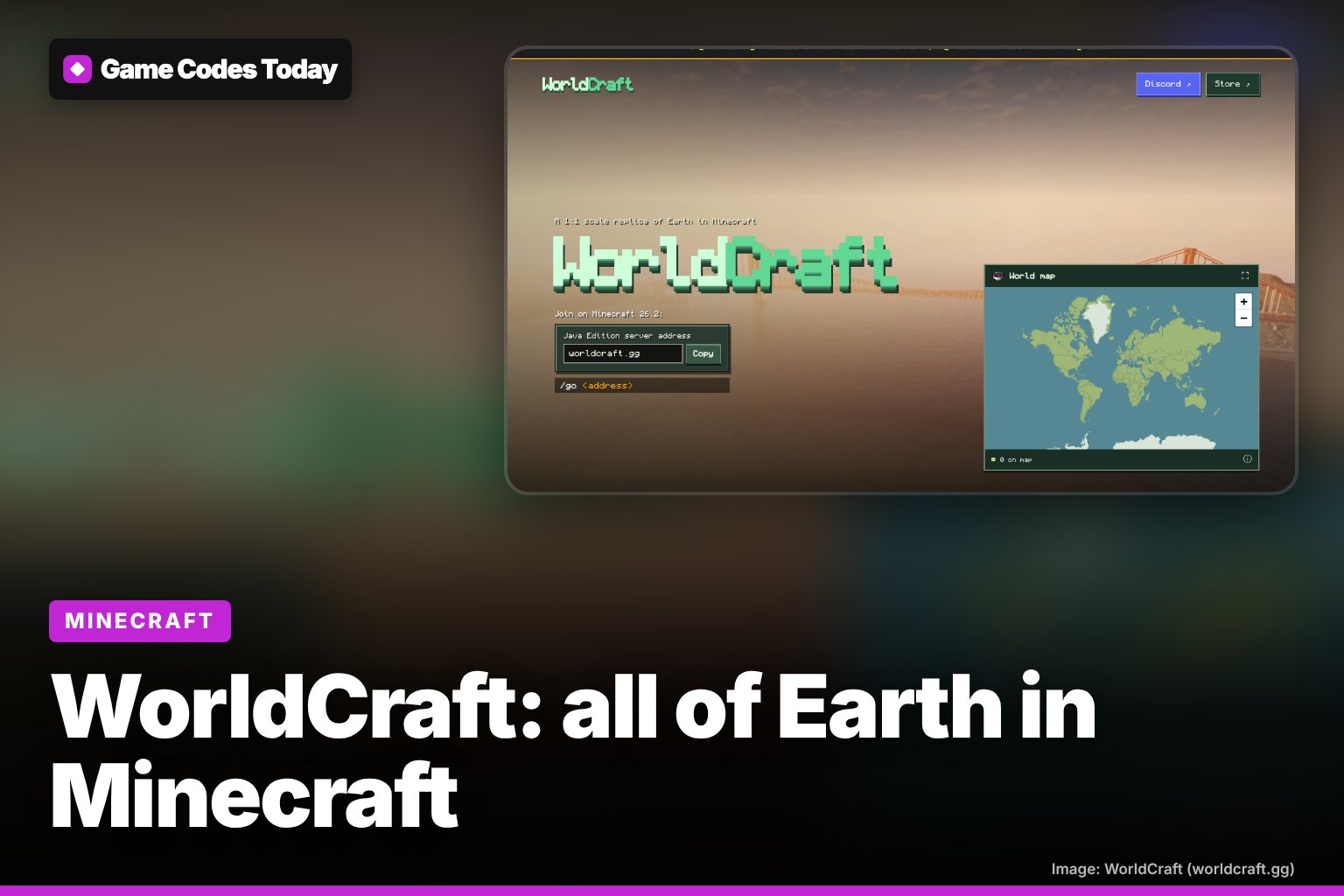
- WorldCraft is a fan-made Minecraft server that builds a 1:1 copy of any place on Earth. Join on Java Edition 26.2 with the address worldcraft.gg.
- Once you're in, type /go followed by a real address to travel there and see your street, your house and the terrain around it in blocks.
- It's very busy. The site says player numbers are "significantly limited" while the team rewrites its systems, so expect a full server.
To see your own house in Minecraft, join the WorldCraft server at worldcraft.gg in Minecraft Java Edition 26.2, then type /go followed by your address. The server builds the place on the spot from map and elevation data. It's free to join if you own Minecraft Java, but it's so popular right now that you may have to try several times.
How to join WorldCraft, step by step
- Update Minecraft: Java Edition to version 26.2 (the version shown on the WorldCraft site).
- On the title screen, pick Multiplayer, then Add Server.
- Type
worldcraft.ggas the server address, save and join. - In the world, open chat and type
/go <address>, for example/go 1 Main Street, Springfield. Use a full street address for the best result. - Walk around. Roads, building outlines and the shape of the land come from real data.
If the server is full, wait and retry. The WorldCraft homepage currently says the team is "experiencing extreme demand", that player count is "significantly limited" while they rewrite their systems, and that they hope to remove the limits soon.
What WorldCraft is
WorldCraft was made by developer Thijs Simonian (cdngdev on X), who announced it on November 16, 2026. It started as a recreation of San Francisco before he expanded it to the whole planet. It is a fan project, not an official Mojang or Microsoft product.
According to Dexerto and GadgetReview, the generator works like this:
| Layer | Where it comes from |
|---|---|
| Hills, valleys, coastlines | Elevation data |
| Roads and building footprints | Open map data (the site credits OpenStreetMap) |
| Roof shapes and details | 3D overhead imagery |
| Inside the houses | Generated furniture (Simonian's description) |
Places are built on demand when someone visits them, rather than stored in advance. Simonian estimates a pre-built copy of the whole Earth would need about two petabytes of storage. He says more than 250 AI agents helped tune the generator. A separate San Francisco world download of about 6 GB is also available, per Dexerto.
What to expect (and what not to)
- It's not a perfect copy. "1:1" means real-world scale, not an exact model of every building. GadgetReview notes roofs, shapes and surroundings can differ a lot from reality, and quality depends on how good the map data is in your country.
- Some regions were missing at launch. Access was US-only for a few hours before worldwide access came back. One player told Dexerto that Australia and New Zealand map data still wasn't working.
- Interiors may be basic. Simonian says homes are furnished, but an independent review cited by GadgetReview found the launch footage didn't clearly show this.
- Crashes and queues. Demand caused crashes in the first days, and the outlet Numerama couldn't get in on November 17.
Players have still had fun with it: one found their old elementary school, and another said their former trailer park came out as three-story homes.
WorldCraft vs BuildTheEarth
The older BuildTheEarth project also aims for a 1:1 Earth, but volunteers build it by hand, block by block, which is how they spent years on New York City. WorldCraft is the opposite: automatic and instant, but less accurate.
More Minecraft on Game Codes Today
- Minecraft The Deep Freeze: release date and new features.
- Minecraft Bedrock off-hand: how to try the off-hand slot on Bedrock now.
- Minecraft Switch 2 mouse controls: when Joy-Con 2 mouse mode arrives.
Game Codes Today is not affiliated with Mojang, Microsoft or WorldCraft.
Frequently asked questions
What is the IP for the Minecraft Earth server WorldCraft?
worldcraft.gg. Add it under Multiplayer > Add Server in Minecraft Java Edition 26.2.
Can I play WorldCraft on Bedrock, Switch or phone?
The official site only lists a Java Edition server address, so it's PC Java only for now. There's no Bedrock address.
Is WorldCraft free?
Joining the server costs nothing beyond owning Minecraft Java Edition. The site also links to a store, but you don't need it to visit places.
Sources
Related

Minecraft Realms Pro: $29.99 a month for 50 players, worth it?
Minecraft Realms Pro costs $29.99 a month ($1 for the first 14 days) and hosts 50 players at once on Bedrock, vs 10 on Realms Plus. Full comparison.
Minecraft Bedrock off-hand: how to try it now (2027 drop)
Off-hand is coming to Minecraft Bedrock in the first game drop of 2027. Try it now in Preview 26.70.26: swap with F, place blocks from your left hand.
Minecraft Switch 2 mouse controls: when Joy-Con 2 mouse mode arrives
Minecraft on Switch 2 is getting Joy-Con 2 mouse controls. What's in the beta now, the button layout, release timing and the free upgrade deadline.